Using Slingshot? We already work with its spray records. Using something else? Let’s
discuss what your records can support.
See recorded coverage
Understand applied-liquid patterns
Review the jobs behind a total
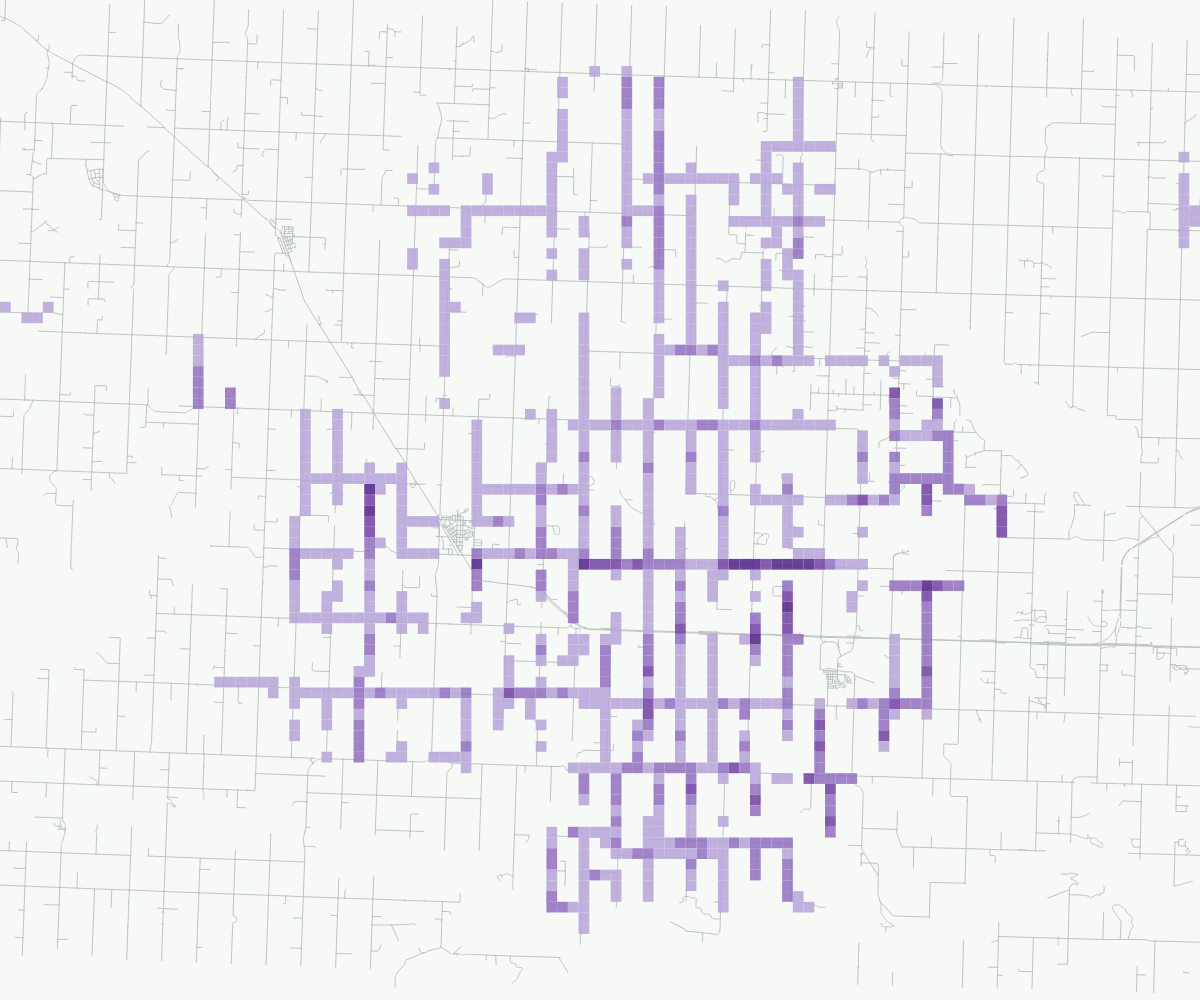
Applied-liquid map2026
Estimated applied spray liquid · Litres per 500 m cell
0–10 L>10–50 L>50–100 L>100–250 L>250 L
See the answers, not just the data
What can your spray records show?
Explore road coverage, applied-liquid patterns and the jobs behind a season summary.
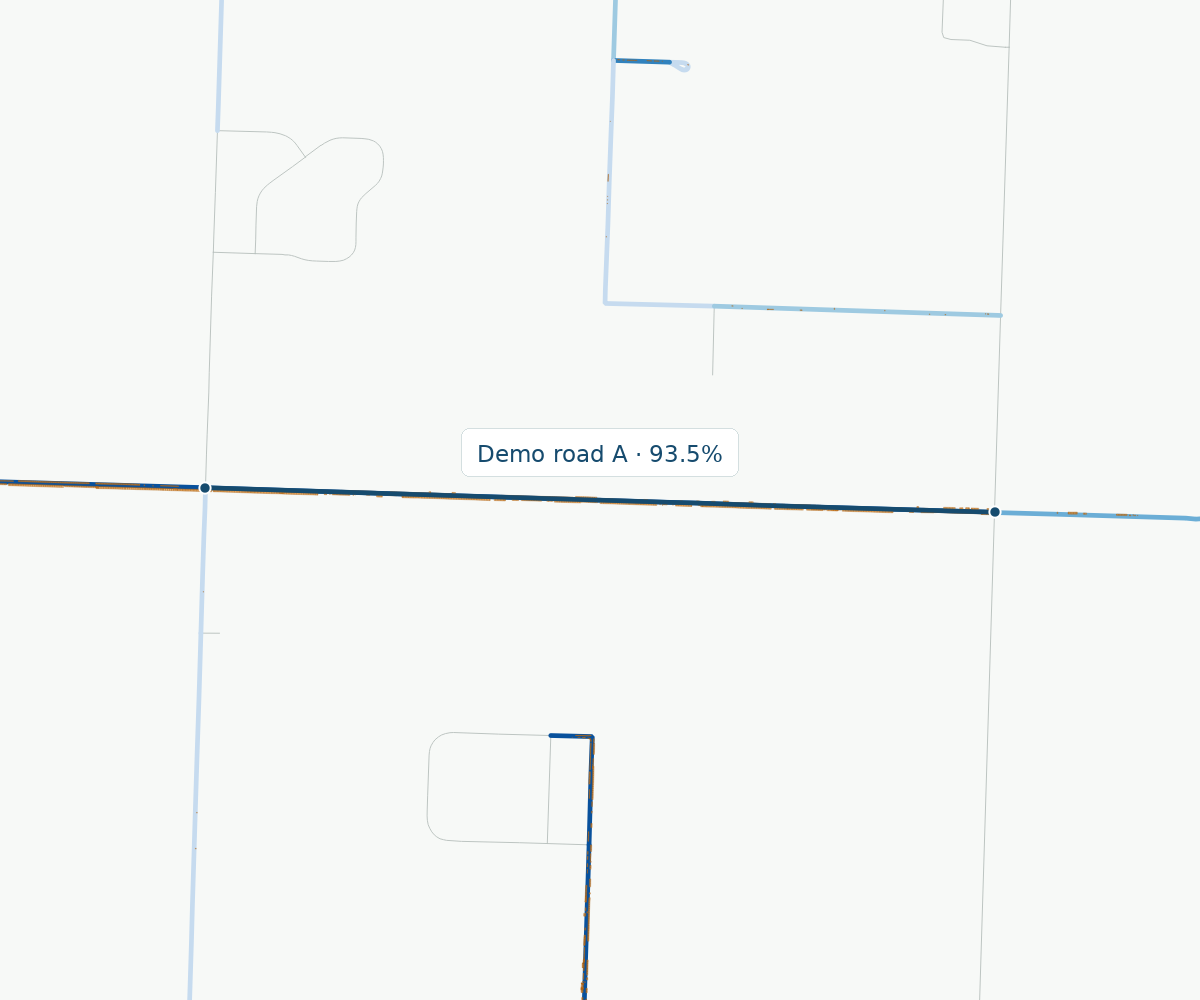
01 / Road coverage
How much of each road was sprayed?
Review recorded spraying across intersection-to-intersection road stretches. Compare coverage at a glance
and pick out stretches to investigate—without opening every job individually.
Recorded length coverage, not confirmation of complete treatment. Missing records do
not establish zero spraying.
Demo 2026 Blue: recorded length coverage. Orange: original spray
footprints.
0–5%>5–10%>10–25%>25–50%>50–100%
02 / Applied-liquid map
Where was more spray liquid applied?
See where application amounts are concentrated. Compare estimated spray liquid across your reporting area,
with reference roads to put the patterns in context.
Litres per 500 m cell—not application rate or active ingredient. Repeated applications
add to the amount.
Demo 2026 Estimated applied spray liquid · L per 500 m cell
0–10
L>10–50 L>50–100
L>100–250 L>250 L
03 / Job reporting
What is behind the season total?
Build a season summary, compare recorded volumes and travel by month, and review the individual jobs behind
a total. Truck-level reports can group records by equipment when mappings are available.
Example job reportJune–August 2026
From a summary to the source jobs.
27Recorded jobs
13,309.3 LRecorded applied volume
Recorded distance by month
Jun
89.9 km: 62.02 positive rate; 27.86 zero rate
Jul
46.5 km: 37.46 positive rate; 9.07 zero rate
Aug
18.5 km: 13.13 positive rate; 5.35 zero rate
● Positive rate● Zero rate
A closer look · first four jobs
Job
Month
Recorded L
Demo 01
2026-06
3.1
Demo 02
2026-06
750.3
Demo 03
2026-06
6.3
Demo 04
2026-06
11.9
27 recorded jobs. Snapshot totals, not a certified full-season record.
Start with the question, not the system
Different systems. The same reporting questions.
Your records might live in AgTerra, GIS, Excel, contractor reports—or several places at once.
Start with the question you need answered. We’ll discuss the available exports and whether they can support a
useful map, summary or reconciliation.
You don’t need to figure out the export process before contacting us.
For Agriculture Fieldmen, municipal vegetation managers and the teams supporting their reporting.
01
Tell us what you need.
Describe the report you need, the question you want answered, or the number you can’t explain. You don’t
need to prepare a data package first.
02
Discuss the available records.
Talk through where your records live, your reporting period and existing workflow. A current report or
screenshot can help explain the problem.
03
Agree a useful first step.
If a data review or report is a fit, discuss the scope, outputs and costs before proceeding.
Built for a closer look
A useful summary. A way to check it.
When a number raises a question, the report should help you investigate. ONTRA brings reporting summaries and
supporting job records together, so the conversation does not stop at a total.
Reporting period
See exactly which reporting period a summary covers.
Source records
Review the individual jobs supporting a summary.
Repeat handling
Understand how repeated records and passes affect the report.
Measurement basis
Distinguish recorded volumes from calculated estimates.
Let’s talk about your reporting
What would you like to understand?
Tell us a little about your program and the question you have. Start with the problem—not a pile of files.
ONTRA is working toward a shared foundation for how spray logs are collected, understood, and used—so
municipalities can build the tools their programs actually need.